THE ASSIGNMENT
The next practice is clear.
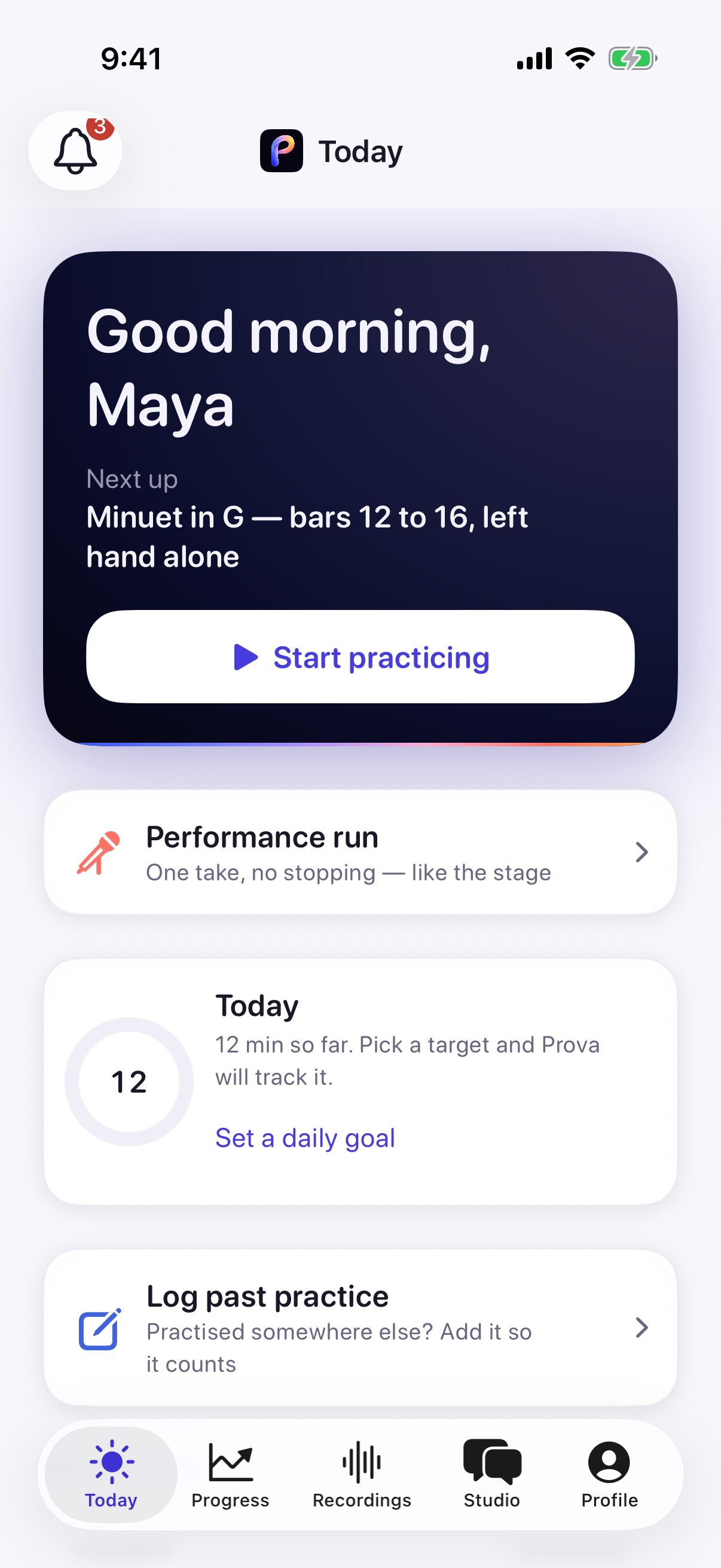
Today gives Maya a concrete place to begin: Minuet in G, bars 12–16, with the left hand alone.
 prova
provaTHE PRACTICE BETWEEN LESSONS
Practice, record and hear what comes next. Prova keeps the teacher’s guidance close to the student’s music.
A beautifully made practice app for iPhone and iPad · Beta for ages 13+
Native iPhone 17 Pro screens · separate seeded demo states, not a connected exchange
THE OTHER SIX DAYS
A student practices and records the music. The teacher listens to that take, then gives a thought the student can bring into the next practice.
EXPERIENCE 01 · THE TAKE COMES BACK
01 / 05
THE STUDENT
Today brings the assignment, target and materials together, ready on the student’s stand.
One place to begin. No guessing what to practice.
The music continuesCurrent native iOS screens · seeded showcase data · no backend handoff depicted
THE ASSIGNMENT
Today gives Maya a concrete place to begin: Minuet in G, bars 12–16, with the left hand alone.
THE TAKE
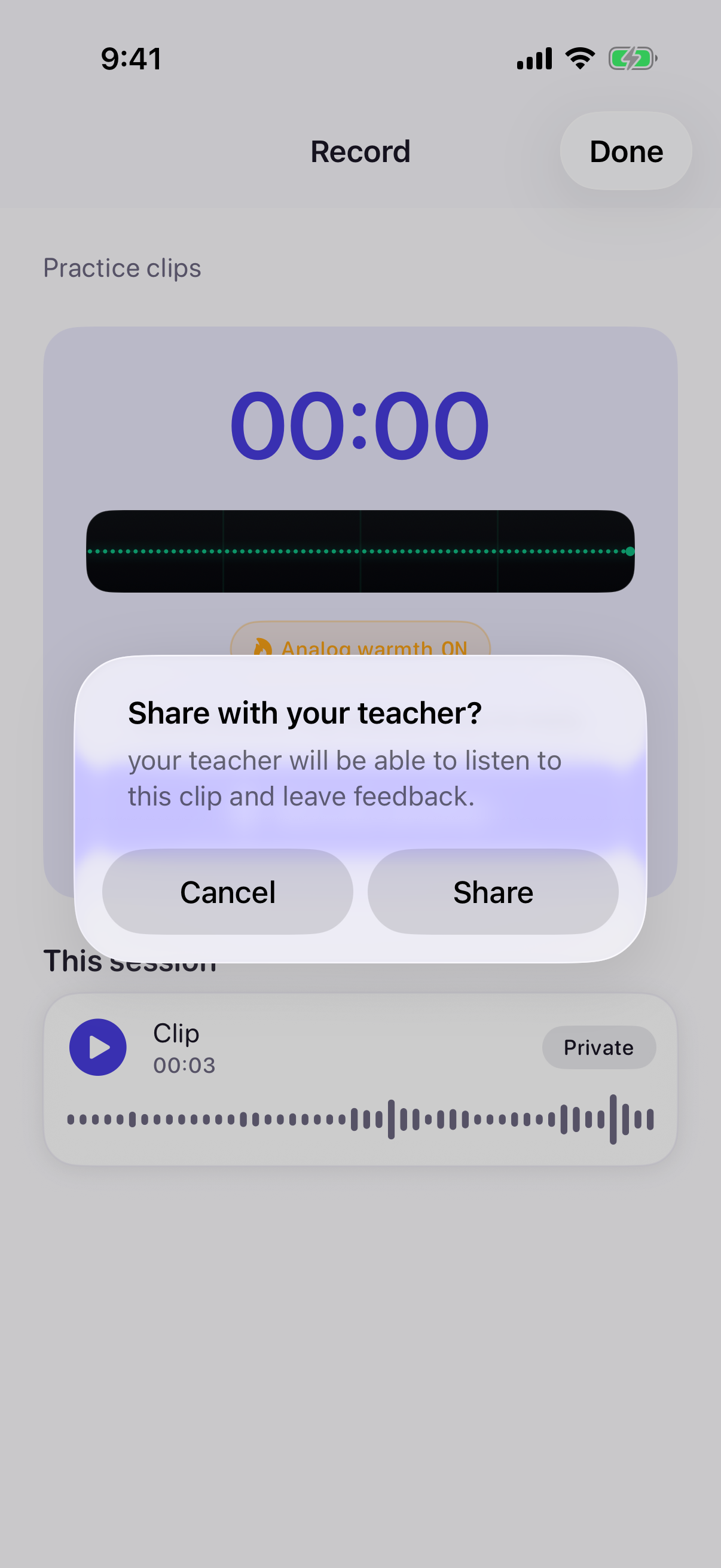
After recording, the student decides whether to share a clip privately. This local UI test canceled the prompt; no teacher received the clip.
THE TEACHER LISTENS
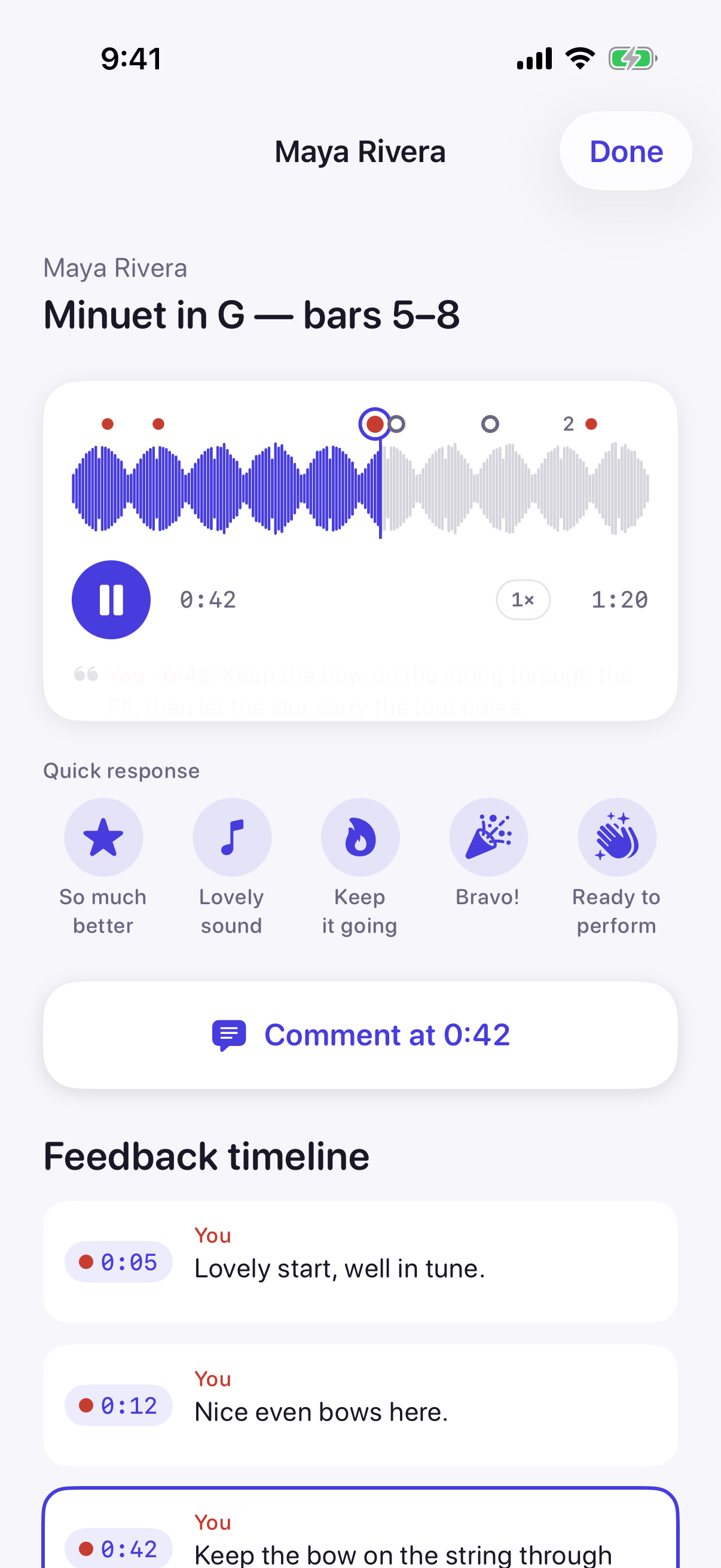
In the seeded teacher review, the playhead lands at 0:42 and the related comment is highlighted on the take.
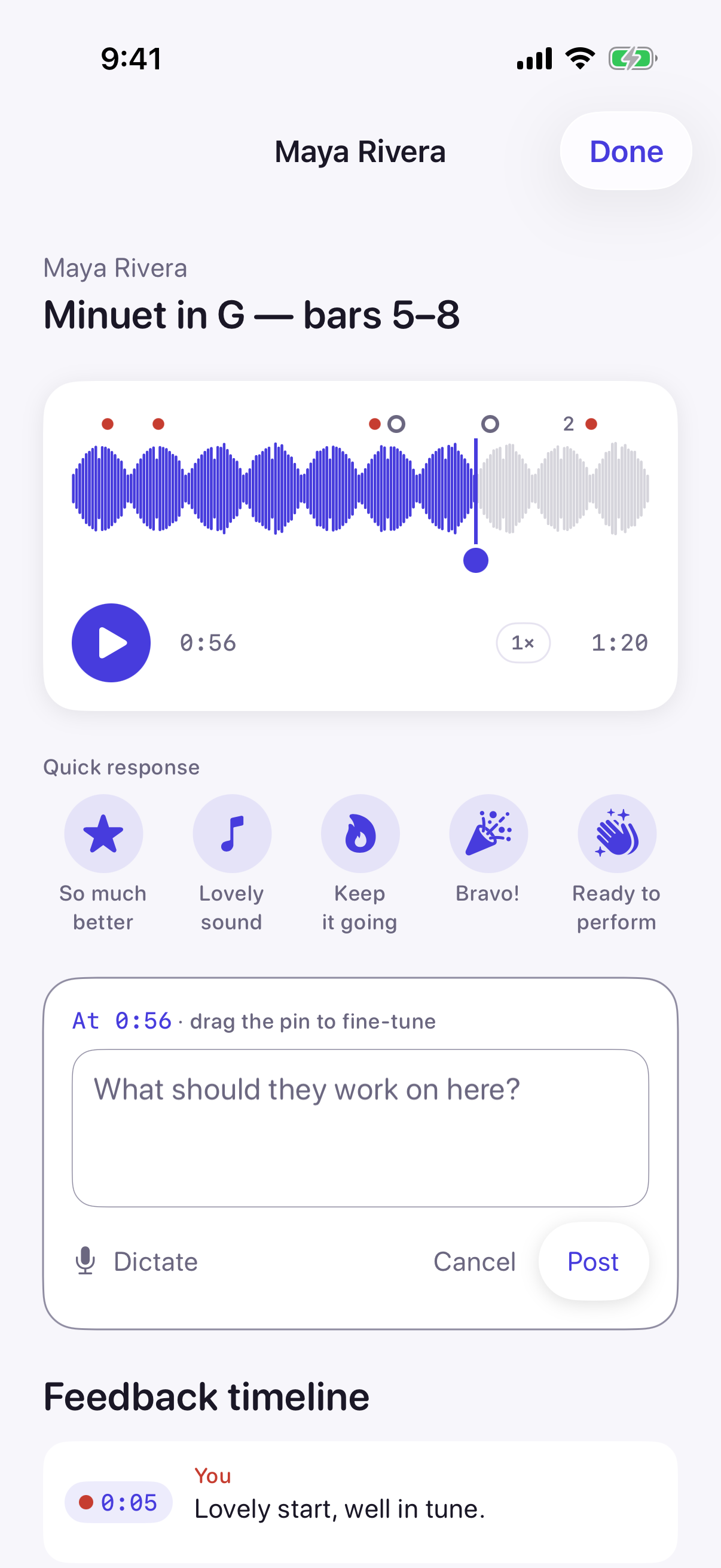
THE REPLY
The native composer opens at the selected moment, ready for the teacher’s note. This screenshot shows an unposted draft at 0:56.
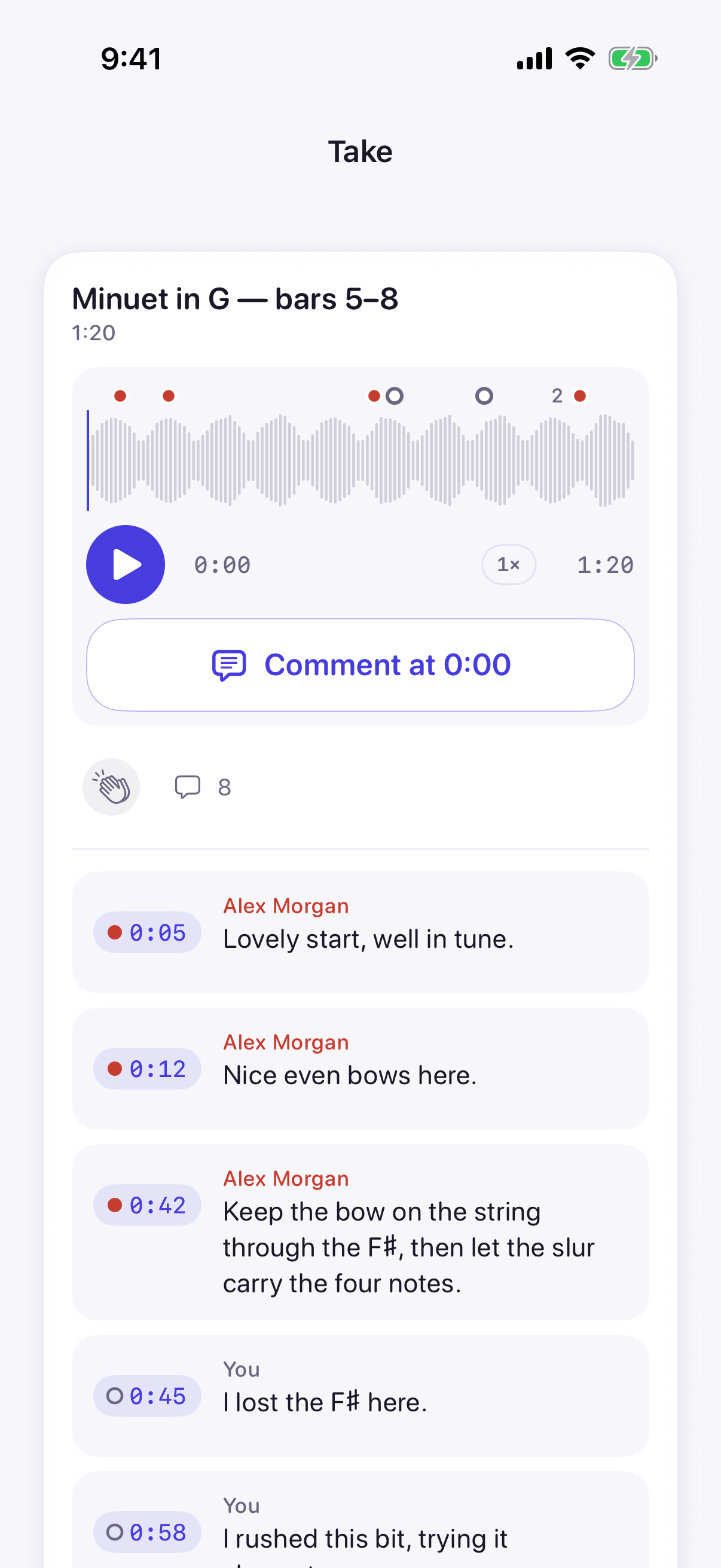
BACK WITH THE STUDENT
The student view shows timestamped comments and their authors, so the teacher’s thought is easy to return to.
Native current-build screenshots · deterministic demo data · no backend handoff depicted.
EXPERIENCE 02 · THE MUSIC HAS TWO READINGS
Teacher and student annotations live in separate layers on the score they share.
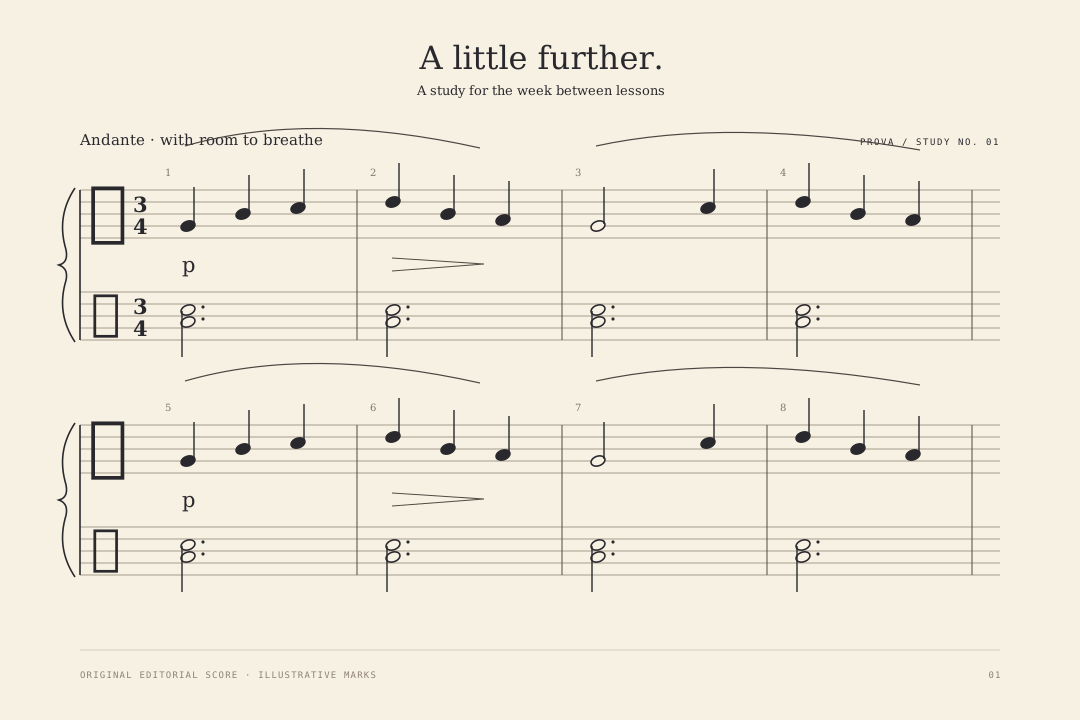
One phrase. A place to begin.
Editorial motion · not an app capture
Native score capture pending: the demo’s PDF-loading workflow does not retain imported scores. This illustration explains separate teacher and student layers; it does not demonstrate saved or synced annotations. Recording comments and score annotations are separate product moments. The audio timestamp is not automatically mapped to a score position.
MADE FOR THE PEOPLE AROUND THE MUSIC
Focused tools for musicians, and a clearer connection between the lesson and the week that follows.
Set practice steps and a daily target. Listen to the takes students choose to share, then leave feedback on the score.
Keep your score, metronome, tuner and recorder together. Bring your own pieces, too—even when you practice on your own.
Takes are private unless a student shares them with their teacher. The beta is for musicians age 13 and up.
Use Prova’s practice tools for music you choose yourself. A linked teacher can see student-added pieces read-only, as the app explains.
Prova is an iPhone and iPad app. Parent accounts and parent-link features are not available in this beta.
A DIFFERENT KIND OF PRACTICE APP
Practice companions and studio platforms do useful, different work. Prova is built around the space between them: the music a teacher assigns is the music a student practices, records and brings back for feedback.
01 SOLO PRACTICE
Tuner, metronome, recording and practice reflection help musicians work on their own.
Great for the individual practice session.02 STUDIO MANAGEMENT
Scheduling, student records, lesson resources and billing help teachers organize studio work.
Great for the running of a teaching studio.03 PROVA
Assign the music. The student practices and shares a take. The teacher listens and marks the score. The guidance stays with the music for next time.
One focused loop between teacher and student.See if Prova fits your studioDifferent tools serve different needs. Prova is focused on independent teachers and their students—not studio scheduling or billing.
YOUR NEXT PRACTICE CAN START HERE
Bring your teaching into the days between lessons. Start with one student, one piece, and a clearer next step.
I’m a teacher — join the beta Free during beta · iPhone and iPad · students age 13+ · students join through their teacher.A student? Ask your teacher to invite you